
Offline-First Kotlin Multiplatform with Room, Ktor, and Shared ViewModels
Build an offline-first Android and iOS task feature with Room, Ktor, queued sync, a shared repository, and a shared ViewModel.
Offline-First Kotlin Multiplatform with Room, Ktor, and Shared ViewModelsA Kotlin Multiplatform demo that downloads JSON on Android and iOS is easy to understand. A feature that still behaves correctly in a tunnel, survives a killed process, retries a failed write, and resolves a change from another device is where the architecture becomes real.
For this article, we will build one small task feature with a deliberate sharing boundary:
- Room is the local source of truth.
- Ktor talks to the remote API.
- A shared repository writes locally and coordinates synchronization.
- A shared AndroidX ViewModel exposes state and actions.
- Android keeps Jetpack Compose, while iOS keeps SwiftUI.
The goal is not to share every line. It is to share the rules that must behave the same on both platforms.
If you need a refresher on structured asynchronous work, my Kotlin Coroutines introduction covers the foundation. Here, we will focus on how suspend, Flow, persistence, and synchronization work together.
Offline-first is not “show the cache when the request fails”
In a network-first feature, the screen asks the server for data and may save a copy afterward. Offline behavior is an exception path.
In an offline-first feature, the screen observes local data all the time. The network never returns data directly to the UI. It updates the database, and the database emits the new state.
That gives us three practical rules:
- Reads come from Room.
- User writes reach Room before the network.
- Synchronization reconciles Room with the server later.
Google's offline-first architecture guide describes the local data source as the canonical source of truth for the app. I would treat that as an architectural constraint, not a caching preference.
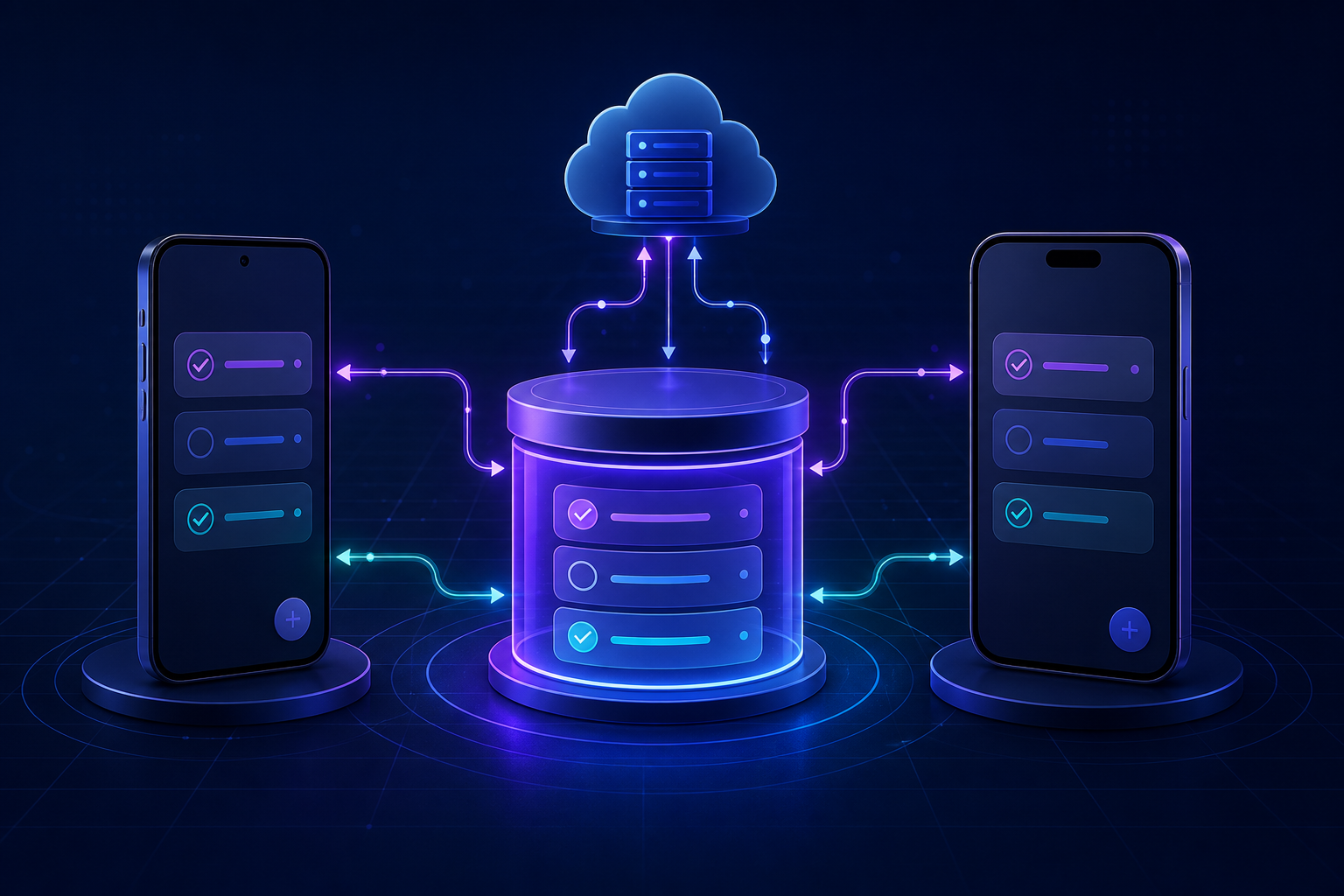
Our data flow looks like this:
Compose / SwiftUI
        |
shared TaskListViewModel
        |
shared TaskRepository
       / \
 Room Flow  Ktor sync
     |          |
local SQLite   server
The important arrow is the one from Room back to the UI. A refresh response, an offline edit, and a background synchronization all update the same observable source.
Choose the sharing boundary before choosing libraries
The feature is organized like this:
shared/src/
  commonMain/
    data/local/       Room entities, DAOs, database, and task store
    data/remote/      Ktor API and serializable DTOs
    data/             TaskRepository
    presentation/     TaskListViewModel and UI state
  androidMain/
    Database.android.kt
  iosMain/
    Database.ios.kt

androidApp/
  TaskListScreen.kt   Jetpack Compose

iosApp/
  TaskListScreen.swift  SwiftUI
commonMain owns the behavior we want to keep identical: local writes, queued mutations, sync ordering, conflict metadata, and screen state.
The platform source sets own file-system paths and networking engines. The apps own rendering, navigation, background scheduling, and platform lifecycle integration.
This is close to MVVM, but the useful part is the dependency direction, not the label. My earlier architecture patterns overview explains the ViewModel's role as a bridge. In this feature, that bridge is shared while the views remain native.
Use the current KMP stack, not an old Room recipe
At the time of writing, the current official examples use Room 3.0.2, SQLite 2.7.0, AndroidX Lifecycle 2.11.0, and Ktor 3.5.2.
Room 3 is worth calling out because it is more than a version bump. It moved to the androidx.room3 package, requires KSP, uses SQLite driver APIs, generates Kotlin, and makes database operations coroutine-first. The Room 3 release notes document those breaking changes.
The relevant source-set dependencies are:
commonMain.dependencies {
    implementation("androidx.room3:room3-runtime:3.0.2")
    implementation("androidx.sqlite:sqlite-bundled:2.7.0")

    implementation("io.ktor:ktor-client-core:3.5.2")
    implementation("io.ktor:ktor-client-content-negotiation:3.5.2")
    implementation("io.ktor:ktor-serialization-kotlinx-json:3.5.2")

    api("androidx.lifecycle:lifecycle-viewmodel:2.11.0")
}

androidMain.dependencies {
    implementation("io.ktor:ktor-client-android:3.5.2")
}

iosMain.dependencies {
    implementation("io.ktor:ktor-client-darwin:3.5.2")
}
Add the Room compiler to every KSP target you build, including Android, iosArm64, iosX64, and iosSimulatorArm64. Also configure a schema directory and commit the exported schema files. They are migration inputs, not disposable build output.
Version numbers will move. The architecture below should survive that movement, but check the current Room KMP setup, KMP ViewModel setup, and Ktor engine matrix before copying dependencies into a new project.
Model local state and pending work separately
For a toy app, a pendingSync Boolean on the task can work. It becomes awkward as soon as the user edits the same task twice, deletes it offline, or the app dies after the server accepts a request but before Room records the response.
I prefer a small outbox table. The task table stores what the user should see. The outbox stores what the server has not acknowledged yet.
@Entity(tableName = "tasks")
data class TaskEntity(
    @PrimaryKey val id: String,
    val title: String,
    val completed: Boolean,
    val updatedAtEpochMillis: Long,
    val serverVersion: Long?,
    val deletedAtEpochMillis: Long?,
)

@Entity(tableName = "task_outbox")
data class PendingTaskMutationEntity(
    @PrimaryKey val taskId: String,
    val operationId: String,
    val title: String,
    val completed: Boolean,
    val clientUpdatedAtEpochMillis: Long,
    val baseServerVersion: Long?,
    val deleted: Boolean,
)

@Entity(tableName = "sync_metadata")
data class SyncMetadataEntity(
    @PrimaryKey val feed: String,
    val cursor: String?,
)

data class Task(
    val id: String,
    val title: String,
    val completed: Boolean,
    val updatedAtEpochMillis: Long,
    val serverVersion: Long?,
    val deletedAtEpochMillis: Long?,
)
The client creates task IDs and operation IDs before it has a connection. With Kotlin 2.4, Uuid.random() is available from the common standard library, so the same identifier code can run on Android and iOS.
The stable operationId is not decoration. The server must use it as an idempotency key. If the server accepts a mutation and the response disappears, the client can retry without creating the logical operation twice.
The DAOs expose visible tasks as a Flow and pending operations as a finite list:
@Dao
interface TaskDao {
    @Query(
        """
        SELECT * FROM tasks
        WHERE deletedAtEpochMillis IS NULL
        ORDER BY updatedAtEpochMillis DESC
        """
    )
    fun observeVisibleTasks(): Flow<List<TaskEntity>>

    @Query("SELECT * FROM tasks WHERE id = :id")
    suspend fun find(id: String): TaskEntity?

    @Upsert
    suspend fun upsert(task: TaskEntity)

    @Upsert
    suspend fun upsertAll(tasks: List<TaskEntity>)
}

@Dao
interface TaskOutboxDao {
    @Query("SELECT * FROM task_outbox ORDER BY clientUpdatedAtEpochMillis, operationId")
    suspend fun pending(): List<PendingTaskMutationEntity>

    @Upsert
    suspend fun upsert(mutation: PendingTaskMutationEntity)

    @Query("DELETE FROM task_outbox WHERE operationId IN (:operationIds)")
    suspend fun deleteAcknowledged(operationIds: List<String>)
}

@Dao
interface SyncMetadataDao {
    @Query("SELECT cursor FROM sync_metadata WHERE feed = :feed")
    suspend fun cursor(feed: String): String?

    @Upsert
    suspend fun upsert(metadata: SyncMetadataEntity)
}
Making taskId the outbox primary key intentionally collapses several unsynchronized edits into the latest desired task state. operationId remains a separate value so an acknowledgment can delete only the mutation that was actually sent. If the user edits the task while a sync request is in flight, the newer row has a different operation ID and survives the older acknowledgment.
Build Room in common code and provide only the path per platform
The database schema, DAOs, driver, and most configuration stay in commonMain:
@Database(
    entities = [
        TaskEntity::class,
        PendingTaskMutationEntity::class,
        SyncMetadataEntity::class,
    ],
    version = 1,
)
@ConstructedBy(AppDatabaseConstructor::class)
abstract class AppDatabase : RoomDatabase() {
    abstract fun taskDao(): TaskDao
    abstract fun taskOutboxDao(): TaskOutboxDao
    abstract fun syncMetadataDao(): SyncMetadataDao
}

@Suppress("KotlinNoActualForExpect")
expect object AppDatabaseConstructor : RoomDatabaseConstructor<AppDatabase> {
    override fun initialize(): AppDatabase
}

fun buildDatabase(
    builder: RoomDatabase.Builder<AppDatabase>,
): AppDatabase = builder
    .setDriver(BundledSQLiteDriver())
    .setQueryCoroutineContext(Dispatchers.IO)
    .build()
The bundled driver makes the SQLite version consistent across platforms. That costs some app size, but it removes differences between the Android and iOS system SQLite versions. The Room team currently recommends it for that reason.
Android supplies a path through Context:
fun databaseBuilder(context: Context): RoomDatabase.Builder<AppDatabase> {
    val appContext = context.applicationContext
    val path = appContext.getDatabasePath("tasks.db")

    return Room.databaseBuilder<AppDatabase>(
        context = appContext,
        name = path.absolutePath,
    )
}
iOS supplies a path through NSFileManager:
fun databaseBuilder(): RoomDatabase.Builder<AppDatabase> {
    val directory = NSFileManager.defaultManager.URLForDirectory(
        directory = NSDocumentDirectory,
        inDomain = NSUserDomainMask,
        appropriateForURL = null,
        create = true,
        error = null,
    )

    val path = requireNotNull(directory?.path) + "/tasks.db"
    return Room.databaseBuilder<AppDatabase>(name = path)
}
That is the kind of platform-specific code I am happy to keep. Hiding file-system differences behind an elaborate abstraction would not make the shared business rules any clearer.
Configure one Ktor client with platform engines
Ktor can select an engine from the dependency available in the current source set. We add the Android engine to androidMain, Darwin to iosMain, and keep the client configuration in common code:
fun createHttpClient(baseUrl: String): HttpClient = HttpClient {
    expectSuccess = true

    install(ContentNegotiation) {
        json(
            Json {
                ignoreUnknownKeys = true
                explicitNulls = false
            }
        )
    }

    install(HttpRequestRetry) {
        retryOnExceptionOrServerErrors(maxRetries = 2)
        exponentialDelay()
    }

    defaultRequest {
        url(baseUrl)
        contentType(ContentType.Application.Json)
    }
}
The Darwin engine uses NSURLSession underneath. The Android engine is enough for this REST example. If an existing Android app depends on OkHttp interceptors, HTTP/2, or WebSockets, use Ktor's OkHttp engine instead; my OkHttp interceptors article covers the interceptor concept.
Automatic retries are safe here only because each mutation has an idempotent operationId and the server contract deduplicates it. Do not add retry logic to a non-idempotent POST and hope the network fails at a convenient moment. Ktor's request retry guide explains the client configuration; your API still has to define safe semantics.
Give synchronization an explicit server contract
The sync endpoint accepts the last cursor plus local mutations. It returns authoritative task versions, the operation IDs it accepted, and the next cursor.
@Serializable
data class TaskMutation(
    val operationId: String,
    val taskId: String,
    val title: String,
    val completed: Boolean,
    val clientUpdatedAtEpochMillis: Long,
    val baseServerVersion: Long?,
    val deleted: Boolean,
)

@Serializable
data class SyncRequest(
    val cursor: String?,
    val mutations: List<TaskMutation>,
)

@Serializable
data class TaskDto(
    val id: String,
    val title: String,
    val completed: Boolean,
    val serverVersion: Long,
    val serverUpdatedAtEpochMillis: Long,
    val deletedAtEpochMillis: Long?,
)

@Serializable
data class SyncResponse(
    val tasks: List<TaskDto>,
    val acknowledgedOperationIds: List<String>,
    val nextCursor: String,
)

interface TaskApi {
    suspend fun sync(request: SyncRequest): SyncResponse
}

class KtorTaskApi(
    private val client: HttpClient,
) : TaskApi {
    override suspend fun sync(request: SyncRequest): SyncResponse =
        client.post("v1/tasks/sync") {
            setBody(request)
        }.body()
}
For this sample, the server owns conflict resolution. Every accepted change gets a monotonically increasing serverVersion. baseServerVersion lets the server detect that a client edited an older version, and the sample resolves it using server-order last-write-wins before returning the canonical task.
You need a product decision when that happens. A private task list may accept server-order last-write-wins. Collaborative notes may need field-level merging or a visible conflict. The client cannot discover the correct policy from Room or Ktor.
I would avoid using the device clock as the final judge. Device clocks drift. Use client timestamps for ordering the local outbox and showing useful UI, but let server revisions decide the canonical order.
Keep local writes and queued mutations in one transaction
The repository should not write a task and enqueue its mutation in separate transactions. A crash between those calls would leave a local change that can never synchronize.
Wrap Room in a small TaskStore interface so the repository can be tested without Android, iOS, or SQLite:
interface TaskStore {
    val tasks: Flow<List<Task>>

    suspend fun find(id: String): Task?
    suspend fun saveAndEnqueue(task: Task, mutation: TaskMutation)
    suspend fun buildSyncRequest(): SyncRequest
    suspend fun applySync(response: SyncResponse)
}
The Room implementation performs both sides atomically:
class RoomTaskStore(
    private val database: AppDatabase,
) : TaskStore {

    override val tasks: Flow<List<Task>> =
        database.taskDao()
            .observeVisibleTasks()
            .map { rows -> rows.map(TaskEntity::toDomain) }

    override suspend fun saveAndEnqueue(
        task: Task,
        mutation: TaskMutation,
    ) {
        database.withWriteTransaction {
            database.taskDao().upsert(task.toEntity())
            database.taskOutboxDao().upsert(mutation.toEntity())
        }
    }

    override suspend fun applySync(response: SyncResponse) {
        database.withWriteTransaction {
            val acknowledged = response.acknowledgedOperationIds.toSet()
            val stillPendingTaskIds = database.taskOutboxDao()
                .pending()
                .filterNot { it.operationId in acknowledged }
                .mapTo(mutableSetOf()) { it.taskId }

            // Preserve a newer local edit made while this request was in flight.
            val safeRemoteTasks = response.tasks
                .filterNot { it.id in stillPendingTaskIds }
                .map(TaskDto::toEntity)

            database.taskDao().upsertAll(safeRemoteTasks)
            database.taskOutboxDao().deleteAcknowledged(
                response.acknowledgedOperationIds
            )
            database.syncMetadataDao().upsert(
                SyncMetadataEntity(feed = "tasks", cursor = response.nextCursor)
            )
        }
    }

    // find() and buildSyncRequest() are straightforward DAO mappings.
}
Notice what happens when the network fails: nothing is removed from the outbox. The visible task is still in Room, so the feature continues to work. A later foreground refresh or platform background job can call sync() again.
The shared repository contains the workflow:
class TaskRepository(
    private val store: TaskStore,
    private val api: TaskApi,
    private val nowMillis: () -> Long,
    private val newId: () -> String,
) {
    private val syncMutex = Mutex()

    val tasks: Flow<List<Task>> = store.tasks

    suspend fun add(title: String) {
        val now = nowMillis()
        val task = Task(
            id = newId(),
            title = title.trim(),
            completed = false,
            updatedAtEpochMillis = now,
            serverVersion = null,
            deletedAtEpochMillis = null,
        )

        store.saveAndEnqueue(
            task = task,
            mutation = task.toMutation(
                operationId = newId(),
                deleted = false,
            ),
        )
    }

    suspend fun toggle(id: String) {
        val current = requireNotNull(store.find(id))
        val changed = current.copy(
            completed = !current.completed,
            updatedAtEpochMillis = nowMillis(),
        )

        store.saveAndEnqueue(
            changed,
            changed.toMutation(operationId = newId(), deleted = false),
        )
    }

    suspend fun delete(id: String) {
        val current = requireNotNull(store.find(id))
        val now = nowMillis()
        val tombstone = current.copy(
            updatedAtEpochMillis = now,
            deletedAtEpochMillis = now,
        )

        store.saveAndEnqueue(
            tombstone,
            tombstone.toMutation(operationId = newId(), deleted = true),
        )
    }

    suspend fun sync() = syncMutex.withLock {
        val response = api.sync(store.buildSyncRequest())
        store.applySync(response)
    }
}
nowMillis and newId are injected functions. Production can use the system clock and Uuid.random().toString(). Tests can use deterministic values without mocking global APIs.
The mutex serializes foreground and background sync calls. Local edits still commit immediately, but two network responses cannot race each other and move the cursor backward.
Expose one shared state model from the ViewModel
The ViewModel observes the repository instead of manually replacing lists after every action:
data class TaskListUiState(
    val tasks: List<Task> = emptyList(),
    val syncStatus: SyncStatus = SyncStatus.Idle,
)

enum class SyncStatus { Idle, Syncing, RetryPending }

class TaskListViewModel(
    private val repository: TaskRepository,
) : ViewModel() {

    private val syncMutex = Mutex()
    private val syncStatus = MutableStateFlow(SyncStatus.Idle)

    val uiState: StateFlow<TaskListUiState> = combine(
        repository.tasks,
        syncStatus,
    ) { tasks, status ->
        TaskListUiState(tasks = tasks, syncStatus = status)
    }.stateIn(
        scope = viewModelScope,
        started = SharingStarted.WhileSubscribed(5_000),
        initialValue = TaskListUiState(),
    )

    fun add(title: String) {
        viewModelScope.launch {
            if (title.isBlank()) return@launch
            repository.add(title)
            syncNow()
        }
    }

    fun toggle(id: String) {
        viewModelScope.launch {
            repository.toggle(id)
            syncNow()
        }
    }

    fun delete(id: String) {
        viewModelScope.launch {
            repository.delete(id)
            syncNow()
        }
    }

    fun refresh() {
        viewModelScope.launch { syncNow() }
    }

    private suspend fun syncNow() = syncMutex.withLock {
        syncStatus.value = SyncStatus.Syncing
        try {
            repository.sync()
            syncStatus.value = SyncStatus.Idle
        } catch (cancelled: CancellationException) {
            throw cancelled
        } catch (_: Throwable) {
            syncStatus.value = SyncStatus.RetryPending
        }
    }
}
The catch block changes presentation state; it does not discard the queued mutation. That distinction matters. “The sync attempt failed” and “the user's edit failed” are not the same event in an offline-first feature.
Also notice that cancellation is rethrown. Treating coroutine cancellation as an ordinary connectivity error can keep work alive after the ViewModel has been cleared.
Connect Compose and SwiftUI without sharing the screen
Android can retrieve the shared ViewModel through a factory and collect its state in the normal lifecycle-aware way:
@Composable
fun TaskListRoute(
    viewModel: TaskListViewModel = viewModel(factory = taskViewModelFactory),
) {
    val state by viewModel.uiState.collectAsStateWithLifecycle()

    TaskListScreen(
        state = state,
        onAdd = viewModel::add,
        onToggle = viewModel::toggle,
        onDelete = viewModel::delete,
        onRefresh = viewModel::refresh,
    )
}
Keep the lower-level composable stateless. It receives data and callbacks, which makes previews and UI tests much easier. My Jetpack Compose quick review covers the basic state model.
iOS needs more integration. SwiftUI has no built-in AndroidX ViewModelStoreOwner, and it cannot observe a Kotlin Flow directly. The current Android documentation shows an IosViewModelStoreOwner tied to a SwiftUI @StateObject. For Flow observation, it recommends an adapter such as SKIE or KMP-NativeCoroutines.
At the time of writing, SKIE's Observing SwiftUI helper is still a preview feature and must be enabled with enableSwiftUIObservingPreview = true. With that explicit opt-in, the call site can remain small:
struct TaskListRoute: View {
    @StateObject private var owner = IosViewModelStoreOwner()

    var body: some View {
        let viewModel: TaskListViewModel = owner.viewModel(
            factory: TaskListViewModelKt.taskViewModelFactory
        )

        Observing(viewModel.uiState) { state in
            TaskListScreen(
                state: state,
                onAdd: { viewModel.add(title: $0) },
                onToggle: { viewModel.toggle(id: $0) },
                onDelete: { viewModel.delete(id: $0) },
                onRefresh: { viewModel.refresh() }
            )
        }
    }
}
The exact exported method names depend on your Kotlin-to-Swift framework configuration. The architectural point is stable: SwiftUI owns a native observation adapter and lifecycle owner; the Kotlin ViewModel owns state transitions and feature behavior.
Do not hide this bridge in a diagram and pretend it does not exist. It is real integration code, and it needs lifecycle tests.
Test the repository in commonTest
The repository depends on TaskStore and TaskApi, not on Context, NSFileManager, or a concrete HTTP engine. That lets us test the important offline behavior in common code.
class TaskRepositoryTest {

    @Test
    fun `a task remains visible when the first sync fails`() = runTest {
        val store = FakeTaskStore()
        val api = FakeTaskApi(
            failure = IllegalStateException("offline")
        )
        val ids = ArrayDeque(listOf("task-1", "operation-1"))

        val repository = TaskRepository(
            store = store,
            api = api,
            nowMillis = { 1_000L },
            newId = { ids.removeFirst() },
        )

        repository.add("Review the pull request")

        assertEquals(
            listOf("Review the pull request"),
            repository.tasks.first().map(Task::title),
        )
        assertEquals(1, store.pendingMutationCount)

        assertFailsWith<IllegalStateException> {
            repository.sync()
        }

        assertEquals(1, store.pendingMutationCount)
    }
}
Add another test where the server acknowledges operation-1 and returns a newer canonical task. Assert that Room-facing state is updated, the outbox is empty, and the cursor advances in one transaction.
These tests do not replace Room and Ktor integration tests. They prove the coordination rules without needing an emulator or simulator. Run the common tests on every target you ship, then keep smaller platform suites for database paths, exported Swift APIs, lifecycle ownership, and background scheduling. Kotlin's multiplatform testing guide explains the target-specific test tasks.
That follows the same idea as my Test Driven Development article: test the behavior at the boundary that owns it.
Conflicts, retries, migrations, and deleted records
The happy path is only half of an offline-first design. Before calling the feature complete, decide how these cases work.
Conflicts
Send baseServerVersion with every mutation. Let the server accept, reject, or merge it against the current version. For this task feature, server-order last-write-wins may be acceptable. For collaborative content, it is often too destructive.
Make conflicts observable. A silent overwrite is still a conflict policy; it is simply one the user never gets to question.
Retries
Keep pending mutations in Room until the server response and local acknowledgment commit together. Retry with the same operation ID. Use exponential backoff and avoid a tight “network is back” loop that burns battery.
On Android, persistent synchronization belongs in WorkManager. On iOS, use the Background Tasks framework. The shared repository can expose sync(), but scheduling and cancellation policies remain platform-specific.
Migrations
Export and commit Room schemas from the first release. Test migrations against real previous schema files. Never use destructive migration as the default for user-created offline data; the local database may contain work that has never reached the server.
Room 3 uses SQLite driver APIs and coroutine-first migrations. If you are moving from Room 2, treat the package and migration API changes as a separate upgrade, not as incidental edits hidden inside the feature.
Deleted records
Do not hard-delete a task immediately. Write a tombstone, hide it from normal queries, and synchronize the deletion. The server should return tombstones or equivalent revision information so another device does not resurrect the task from stale local data.
Purge old tombstones only after the server has acknowledged them and your retention window has passed.
What should remain platform-specific
Sharing more code is not automatically better. I would keep these responsibilities at the edges:
- Android and iOS database paths.
- Ktor engine dependencies and engine-specific TLS or proxy configuration.
- WorkManager and Apple's Background Tasks scheduling.
- Compose and SwiftUI rendering, navigation, accessibility, and previews.
- The SwiftUI adapter that observes Kotlin state and owns the ViewModel lifecycle.
- Platform authentication, secure storage, notifications, and deep links.
There are also current library limits to respect. Room's KMP API still does not expose every Android-only feature in common code, including query callbacks, auto-close configuration, pre-packaged database builders, and multi-instance invalidation. Hilt cannot annotate a shared commonMain ViewModel. SwiftUI still needs an adapter to observe Kotlin Flow.
Those are not reasons to avoid KMP. They are reasons to draw the boundary honestly.
A workflow I would use on a real feature
I would build this incrementally:
- Make Room the only read source and prove the screen works with networking disabled.
- Put every local write and outbox mutation in one transaction.
- Define the server's idempotency and conflict contract before adding retries.
- Add foreground synchronization and deterministic repository tests.
- Connect the shared ViewModel to Compose and SwiftUI separately.
- Add platform background scheduling only after manual sync is reliable.
- Test process death, lost responses, stale server versions, migrations, and tombstones.
The feature is not complete because the same Kotlin class compiled for two targets. It is complete when both apps obey the same offline rules and each platform integrates them safely.
That is the part of Kotlin Multiplatform I find most useful: not one UI everywhere, but one well-tested definition of what the feature means.
Where would you draw the sharing boundary in your current app, and which synchronization conflict would be the hardest one to explain to your users?